The countdown, in your menu bar.
Always next to your clock. Click it for your period, today's schedule and your lunch. It updates itself.
Download for MacDownload at home: school Wi-Fi blocks it. Needs macOS 14 or later.
Installing
You only do this once.
- Open the download and drag ScheduleCountdown onto the Applications folder.
-
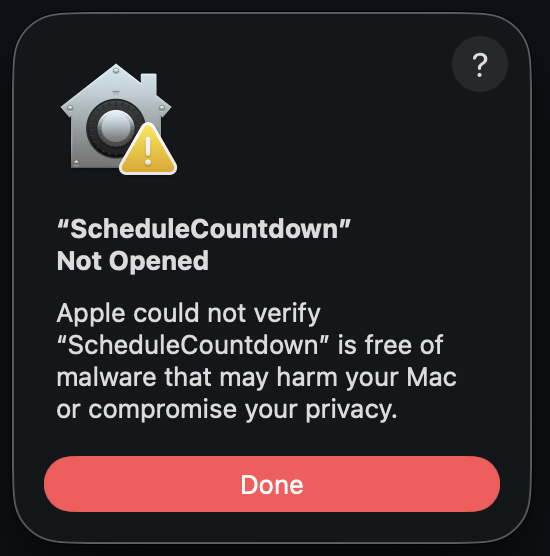
Open it from Applications. The first time, your Mac blocks it. That's normal for apps that aren't from the App Store. Click Done, not Move to Trash.
-
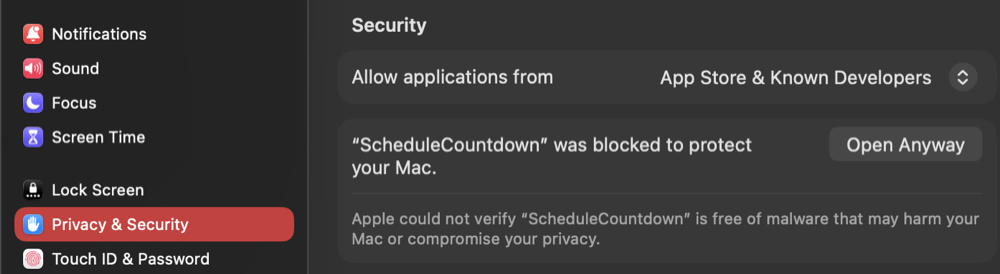
Open System Settings → Privacy & Security, scroll down, and click Open Anyway. Enter your Mac password if it asks.
Made by a Klein High student. Not an official Klein ISD site.